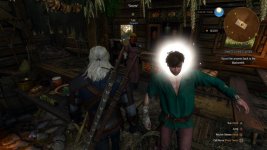
Graphic Glitches

+
SigilFey;n8328060 said:
Download and install Display Driver Uninstaller and CCleaner
I have CCleaner installed, the version is v5.16.5551 (64-bit). Do I uninstall it and reinstall CCleaner from the link you gave me?

Edit: I uninstalled it.

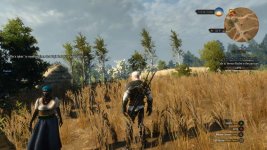
Edit 2: I followed your list but tar faces are still there.

Example in the post below
 
Last edited:
20170405211706_1.jpg
 
SigilFey Could the problem be that I am using the same save as the glitch appeared on, do I need create new game and delete the old save? Would that work?
 
That is very possible. You will not lose your saved games by starting a new one, only the autosaves. I can't believe we got this far without my actually having suggested that. Thanks for thinking logically!

"Try re-routing power through the secondary power coupling. We should be able to draw enough from the auxiliary capacitors to maintain..."

"Does this switch do anything?"

" Oh...yeah. Throw that switch."
 
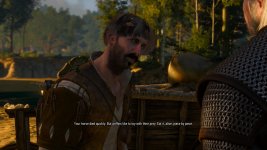
I started a new game/save and played for ~40 min and the graphic glitch is there. Example below.

20170406130616_1.jpg
 
Hm. Whatever is going on, I doubt I can figure out from here. Something is either completely borked with the installation or your card. If it's hardware-related, that is has to be some of the weirdest artifacting I have ever seen.

Have you contacted CDPR Support?

Regardless, I recommend you take that system into a good, private PC store. Preferably a gaming PC store. Have them run some diagnostics, play the game, and see what they can find. The issue with the guys hair looks like normal corruption that is usually fixed by verifying / repairing the installation. The skin changing color is super, super weird. I've never come across that before.

Sorry, sweusa! This one has me stumped. If you want, though, post those snips of your Nvidia Control Panel settings. Be sure you're under the program-specific settings for witcher3.exe.

 

I was considering reinstalling Windows clean but thought I'd see if others are having same problem as I so I searced for a goty pc video on youtube: https://www.youtube.com/watch?v=uP9b8zucmSM
Same problem showing up there and a few other videos I checked. Some googling shows there's something wrong with the interior shadows. I'm thinking my issue is related to that. Is CDPR doing anything about it or are the devs done with this game? I think this is the one last patch the game needs. People seem to have tried and failed to fix it.
 
Last edited:
Top Bottom