



You are using an out of date browser. It may not display this or other websites correctly.
You should upgrade or use an alternative browser.
You should upgrade or use an alternative browser.
Heya,
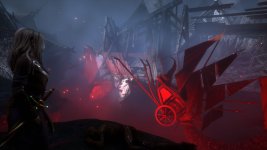
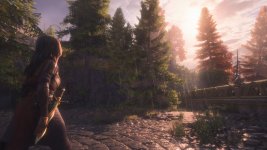
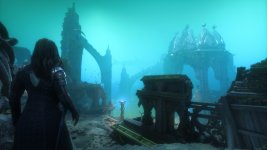
If y'all are looking for neat wallpapers from the Witcher 3, or simply looking for cool screenshots from the game, here's some I handpicked from my last playthrough. Photo mode without any filters. I like them quite a lot. Hope you do too!
If y'all are looking for neat wallpapers from the Witcher 3, or simply looking for cool screenshots from the game, here's some I handpicked from my last playthrough. Photo mode without any filters. I like them quite a lot. Hope you do too!
Attachments
-
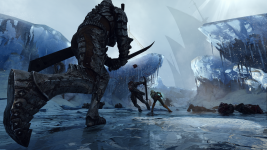 screenshot_04215.png4.4 MB · Views: 63
-
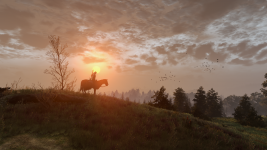 screenshot_135224.png2.1 MB · Views: 53
-
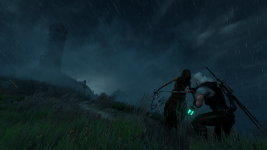 screenshot_141042.png1.8 MB · Views: 54
-
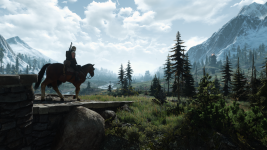 screenshot_162737.png2.8 MB · Views: 51
-
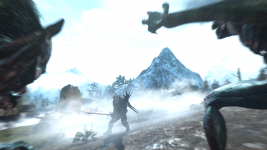 screenshot_165141.png1.7 MB · Views: 47
-
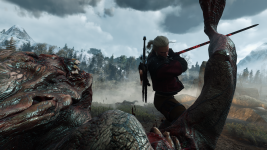 screenshot_165352.png2.9 MB · Views: 45
-
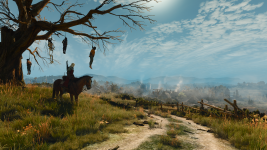 screenshot_205316.png3.2 MB · Views: 49
-
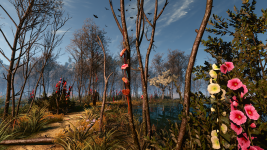 screenshot_233033.png4 MB · Views: 50


Trying to stay away from DD2 until the update lands. I fear being "not in the mood" for it when it hits.

Yep, fair! Personally, I'm pleasantly surprised, they really improved the game.Trying to stay away from DD2 until the update lands. I fear being "not in the mood" for it when it hits.
After about 50 hours, I didn't lost any pawn stupidly. They no longer jump to their death from cliffs or in the water... So it's a serious improvement


My first-ever perfect dish! If only it were... well, edible.
(This is from Frog Island.)

(This is from Frog Island.)
Witcher old wolf armor
Attachments
-
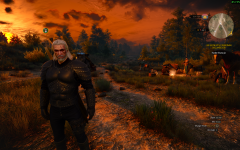 The Witcher 3 Screenshot 2026.09.17 - 04.54.01.13.png7.8 MB · Views: 39

Hi, i think my screenshots will be against a cheater or exploider, he played at second round a card with some strange damage effect and i even didnt touch pass, and than at third round he had too much shield and healt because of second round, i know this game they stopped support but it is not fun playing someone like this people who is not getting anywhere in life or not try to be better player but cheating.
Attachments
-
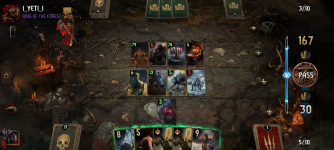 Screenshot_20261008-214636.png3.6 MB · Views: 19
-
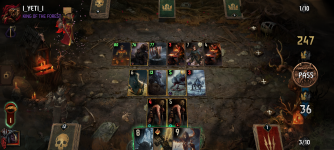 Screenshot_20261008-214743.png3.6 MB · Views: 23
-
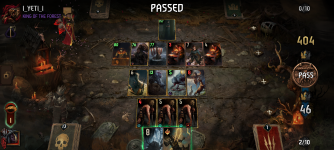 Screenshot_20261008-214851.png3.5 MB · Views: 21
-
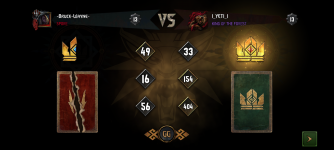 Screenshot_20261008-215029.png1.5 MB · Views: 27
So sad about Bioware... So after watching Exodus new gameplay video, I decided to play Andromeda. Not as good as the trilogy, but still very enjoyable game anyway (and good looking game too, for almost a 10 years old game)

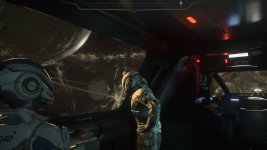
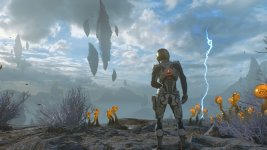
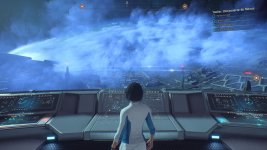
I'd love to participate, but where is the screenshot folder in Linux Steam? I have two games that take screenshots in the same way: Starfield & Cyberpunk. I've taken them, and yet, they seem to exist nowhere.
I've gone here: ~/.local/share/Steam/userdata/[YourSteamID]/760/remote/[GameID]/screenshots
But this is for conventional screenshots, not the in game photo tool that uses Spacebar to snap the photo. Where do those go? I know the Starfield photos are there because screenshots become part of the loading screen still shots in the game. Cyberpunk has the same screenshot tool, but not the same load screen dynamic.
ETA Solution:
Starfield: ~/.local/share/Steam/steamapps/compatdata/1716740/pfx/drive_c/users/steamuser/Documents/My Games/Starfield/Data/Textures/Photos
Cyberpunk: .local/share/Steam/steamapps/compatdata/1091500/pfx/drive_c/users/steamuser/Pictures/Cyberpunk 2077
The AI bot is a dipshit when it comes to Linux questions, it will give you a mish mash of windows solutions mixed with some generic Linux talk then agree that it did it wrong. Only then will it give you the correct answer.


I've gone here: ~/.local/share/Steam/userdata/[YourSteamID]/760/remote/[GameID]/screenshots
But this is for conventional screenshots, not the in game photo tool that uses Spacebar to snap the photo. Where do those go? I know the Starfield photos are there because screenshots become part of the loading screen still shots in the game. Cyberpunk has the same screenshot tool, but not the same load screen dynamic.
ETA Solution:
Starfield: ~/.local/share/Steam/steamapps/compatdata/1716740/pfx/drive_c/users/steamuser/Documents/My Games/Starfield/Data/Textures/Photos
Cyberpunk: .local/share/Steam/steamapps/compatdata/1091500/pfx/drive_c/users/steamuser/Pictures/Cyberpunk 2077
The AI bot is a dipshit when it comes to Linux questions, it will give you a mish mash of windows solutions mixed with some generic Linux talk then agree that it did it wrong. Only then will it give you the correct answer.
Last edited:
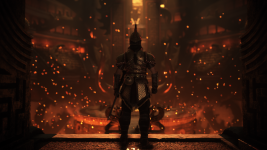
Andromeda and Veilguard had their issues but no one can argue they weren't gorgeous games.

Attachments
-
 34736e7c-e851-4e85-93b9-9a8701f83cdd.png1.1 MB · Views: 16
-
 cdc77a9d-3d65-4aae-8e7a-6a5b81b2e58e.png892.2 KB · Views: 15
-
 de5740c0-fdc0-4075-a7d5-5f9fda3403c9.png2 MB · Views: 14
-
 3fbaf721-3272-421b-bedf-c497dd264db6.png2.4 MB · Views: 16
-
 ecaabe0c-2488-4ce4-a5f3-c9f299912853.png2.3 MB · Views: 16
-
 2206c2a8-80d3-45bd-bafe-5345806213ad.png2.3 MB · Views: 14