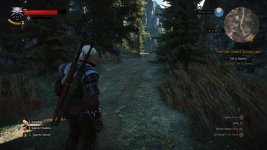



Grass glitch persist PS5

+
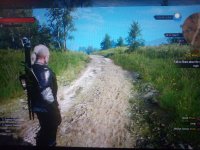
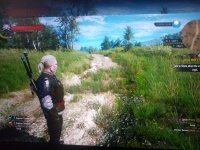
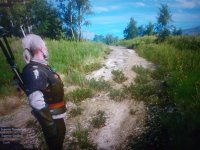
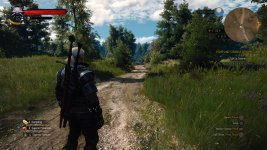
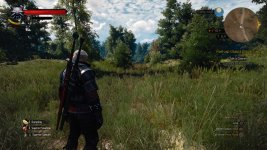
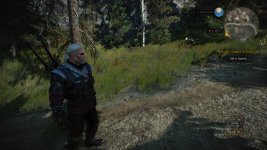
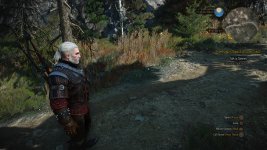
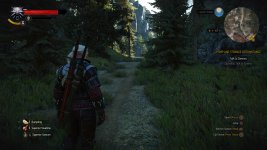
Hello everyone. I have already reported this issue since I found that not only I suffer from it but many others who reported too, but I just wonder do you guys not notice this popping at all that it is still not fixed? it has been happening since release as I found out, and I started really noticing it after 60 hours of playing, I noticed it before but I thought those were rare glitches, but they did not disappeared and at some point while exploring the game, I was noticing this popping/disappear, shifting and changing grass more and more. Nothing seems to help it, no cleaning the cache, no rebuilding database, nor erasing everything and installing only one witcher 3 on inner memory. It is very immersion breaking, and it really does not make sense that this issue persist and it is still not fixed. So do you really not notice it guys or just do not really care or do not really have this issue? The game is almost perfection on next gen if not for this issue. Although I understand some people have other issues, but still this is only one issue for me so far that destroys the joy of playing and exploring.
Post automatically merged:

okay, I just researched a little more, and everyone who has Witcher 3 complete edition report this issue!! this might be breaking news, since many people have Witcher 3 standard eddition and might not have this glitch. Which is possible that it is only issue on Witcher 3 complete edition!!
Post automatically merged:

I just also watched a random Witcher 3 PS5 stream, a guy had grass popping but he did not even see it on those cases when it shifted and changed form and then disappeared. I guess I understand now, people do not give a damn
Post automatically merged:

Lo and behold, a 2nd type of grass on this very same place. Lol. This is getting crazy. I just came here again to see if this glitch stay or not, on the way here, grass were getting smaller on some parts, shifting, but when I came at his very same place, the grass changed from previous view. Look up yourself
 

Attachments

  • P40315-165028.jpg
    P40315-165028.jpg
    2.7 MB · Views: 294
  • P40315-165040.jpg
    P40315-165040.jpg
    3 MB · Views: 318
  • P40315-191708.jpg
    P40315-191708.jpg
    2.5 MB · Views: 286
Last edited:
so you guys do not experience such problem? I think I might know a reason why I have it. I updated from ps4 version to ps5, but you guys who do not have this problem just bought the game being on ps5? or perhaps it is not big deal for some people and thus nobody is bothered with this problem? So far I have 3 person who updated to ps5 version from ps4 version saying they have grass popping glitch, and people who bought it on ps5, one disced version and other digital version, never experienced such glitch annd I witnessed myself in the last case that, my friend who bought it on ps5 never experienced it, he streamed the game ofr me and it was perfect.
 
reinstalled system software, no use at all
 

Attachments

  • The Witcher 3_ Wild Hunt - Complete Edition_20240331215709.jpg
    The Witcher 3_ Wild Hunt - Complete Edition_20240331215709.jpg
    2 MB · Views: 215
  • The Witcher 3_ Wild Hunt - Complete Edition_20240331215744.jpg
    The Witcher 3_ Wild Hunt - Complete Edition_20240331215744.jpg
    2.1 MB · Views: 211
more on Skellige
Post automatically merged:

it turns out many people just ignore it and rush through the game, don't explore and don't mind grass changing in front of them
 

Attachments

  • The Witcher 3_ Wild Hunt - Complete Edition_20240416144533.jpg
    The Witcher 3_ Wild Hunt - Complete Edition_20240416144533.jpg
    2 MB · Views: 165
  • The Witcher 3_ Wild Hunt - Complete Edition_20240416144721.jpg
    The Witcher 3_ Wild Hunt - Complete Edition_20240416144721.jpg
    2 MB · Views: 166
  • The Witcher 3_ Wild Hunt - Complete Edition_20240416154508.jpg
    The Witcher 3_ Wild Hunt - Complete Edition_20240416154508.jpg
    1.5 MB · Views: 200
  • The Witcher 3_ Wild Hunt - Complete Edition_20240416154547.jpg
    The Witcher 3_ Wild Hunt - Complete Edition_20240416154547.jpg
    1.5 MB · Views: 187
This bug happens everywhere on the map. Foliage is constantly changing very close to Geralt as you move around. Very annoying, happens only to some PS5 users, no fix found yet
 
I also have this bug, it prevents me from playing, it doesn't look very pleasant. But it appears \ disappears every other time, after the console is in standby mode. I played all day yesterday without this bug, today it reappeared after launch.

Here is a link to a video:

Here you can clearly see what is happening with the grass. And the developers decided to leave this without correction. I don't have the words.
 
Last edited:
Does this happen when you begin a new game, making sure to use an empty save game slot?

Either way, as this is happening on console, I'd send it in to CDPR Support:
("Performance Issues" is probably the closest category we can get.)
 
В любом случае, поскольку это происходит на консоли, я бы отправил это в службу поддержки CDPR:

I wrote to them in support. They replied that they would not do it, that's why they are busy.

I rebooted the game, cleaned the cache, rebuilt the database, reinstalled the game completely. I transferred my saves to Xbox and back to PS5 via the cloud. Nothing helps. This bug defies any logic at all.
 
I wrote to them in support. They replied that they would not do it, that's why they are busy.

I rebooted the game, cleaned the cache, rebuilt the database, reinstalled the game completely. I transferred my saves to Xbox and back to PS5 via the cloud. Nothing helps. This bug defies any logic at all.
Did you try starting a new game? If not, do so to see if it's in the save-state.
 
No, I don't want to go through 40 hours again. I continued to play on Xbox sX, although it is less stable in fps in cities, but there are no such visual bugs there.
You don't need to play the entire game again. Just test it out, speed through it until you can get to an area you know is buggy, and see if the bug persists in a vanilla run using the latest version.

It's not to start over. It's to determine whether the bug exists natively in the installation and operating files, or whether the bug exists in the save-state of the old saved game files.

This distinction can help the devs figure out what may have happened during the update process or playthrough that caused the glitch.

If the bug does not occur anywhere in White Orchard, itself, you should be able to get back to Velen in 20 minutes or so if you just B-line through the story missions and dash to an old, glitchy location.
 
I also have this bug, it prevents me from playing, it doesn't look very pleasant. But it appears \ disappears every other time, after the console is in standby mode. I played all day yesterday without this bug, today it reappeared after launch.

Here is a link to a video:

Here you can clearly see what is happening with the grass. And the developers decided to leave this without correction. I don't have the words.
standby mode helped to fix it temporarily??
Post automatically merged:

You don't need to play the entire game again. Just test it out, speed through it until you can get to an area you know is buggy, and see if the bug persists in a vanilla run using the latest version.

It's not to start over. It's to determine whether the bug exists natively in the installation and operating files, or whether the bug exists in the save-state of the old saved game files.

This distinction can help the devs figure out what may have happened during the update process or playthrough that caused the glitch.

If the bug does not occur anywhere in White Orchard, itself, you should be able to get back to Velen in 20 minutes or so if you just B-line through the story missions and dash to an old, glitchy location.
I have been trying to solve the issue for over half a year. I have tried a lot of things, from simple restarting, cleaning cash, cleaning data, 100% erasing all the saves that could give an issue, transfering saves from PC, reinstalling the game, installing the game from different account and playing on different account with different saves of different account, doing defaulting of the console, and initializiation as well that erased all - nothing helped. Only one time I got lucky to play for 30 minutes playing from the account of my friend after I installed the game. But then my friend asked me to restart and see if bug comes back, I restarted, launched game on friend's account, who by the way do not have bug on his console, and for me on my console after I started game again on his account the bug came back, and since then never disappeared. I have posted dozen of videos on youtube with the bug, I have found dozen of people who were asking me if there was any solution of the issue, becauses they had the same exact bug, I went through forums and found few topics about this issue, one of them suggested that it is related to cash somehow, I went through dozen of videos on youtube watching how people having the bug but rush through the game so fast they do not care what is around and don't explore at all, so they did not care and did not report. But for those people who are a little bit more perceptive and into an exploration - bug ruined the game. I mean I do not much care about plot since i played it few times, I want to run around and explore, get some new trophies that are not related to main plot and bug just destroys desire when you calmly run and few times in a row under 10 seconds grass changes and then keep doing so all over the map. Besides I have reported few times, from my email and from other emails that I made to make it more effective, and last time CDPR probably got pissed and told me they area not going to fix it, they are working on other projects... Also, in addition to this all, I have made assumption that few dozen of PS5 consoles are predisposed to this bug, but few friends that have same bug told me how can it be so if the only game that is acting up is Witcher 3, while other games work perfectly... So I do not know what to think, after trying few more installing and reinstalling, restarting like 10 times in a row to see if it can help - I gave up and just erased the game so it does not poke my consciousness, because it hurts that such thing ruins such amazing game for me and dozen other people as well.
 
Last edited:
standby mode helped to fix it temporarily??
Post automatically merged:


I have been trying to solve the issue for over half a year. I have tried a lot of things, from simple restarting, cleaning cash, cleaning data, 100% erasing all the saves that could give an issue, transfering saves from PC, reinstalling the game, installing the game from different account and playing on different account with different saves of different account, doing defaulting of the console, and initializiation as well that erased all - nothing helped. Only one time I got lucky to play for 30 minutes playing from the account of my friend after I installed the game. But then my friend asked me to restart and see if bug comes back, I restarted, launched game on friend's account, who by the way do not have bug on his console, and for me on my console after I started game again on his account the bug came back, and since then never disappeared. I have posted dozen of videos on youtube with the bug, I have found dozen of people who were asking me if there was any solution of the issue, becauses they had the same exact bug, I went through forums and found few topics about this issue, one of them suggested that it is related to cash somehow, I went through dozen of videos on youtube watching how people having the bug but rush through the game so fast they do not care what is around and don't explore at all, so they did not care and did not report. But for those people who are a little bit more perceptive and into an exploration - bug ruined the game. I mean I do not much care about plot since i played it few times, I want to run around and explore, get some new trophies that are not related to main plot and bug just destroys desire when you calmly run and few times in a row under 10 seconds grass changes and then keep doing so all over the map. Besides I have reported few times, from my email and from other emails that I made to make it more effective, and last time CDPR probably got pissed and told me they area not going to fix it, they are working on other projects... Also, in addition to this all, I have made assumption that few dozen of PS5 consoles are predisposed to this bug, but few friends that have same bug told me how can it be so if the only game that is acting up is Witcher 3, while other games work perfectly... So I do not know what to think, after trying few more installing and reinstalling, restarting like 10 times in a row to see if it can help - I gave up and just erased the game so it does not poke my consciousness, because it hurts that such thing ruins such amazing game for me and dozen other people as well.
While I get all of that, it doesn't answer the main question:

a.) Are you using a 100% vanilla installation of the game, running a 100% vanilla playthrough, made in a blank save slot, with that installation.

-OR-

b.) Are you carrying over a save game file from a prior installation that has been modded or that came from another platform -- anything that may have modified the way the game data exists on your present installation and system.

That's going to be a necessary first step to clarify, as it puts the entire troubleshooting process in one of two completely different worlds. If the game is 100% vanilla, then obviously, the issue is stemming from the game itself, or it's a result of something on the system, drivers, APIs, hard drive/SSD functionality, RAM, etc. If the game has been modded, or was written into a save slot that may have contained modded data at any point, there's probably nothing that can be done. CDPR will be able to tell that such data exists, but there's no way to account for what was done or any way to correct the data that presently exists.

Before anything else can be done, we need to clarify if the game has ever included modded data. (This is still possible on PS5 if a modded game from PC was imported to the Playstation.)
 
I'm a Spanish user, sorry if my English is not correct.

I've also had this problem for a long time.

I've tried deleting cache, rebuilding database, reinstalling the game, the physical game, the digital game, with a new save, with my saved games, and the result is always the same.
The games from this company are some of my favorites in the history of video games, and I'm very upset about the state of the game on PS5.

This has been going on for a long, long time, and I understand that they are working on other projects, but the game can't stay like this.
I'm going to attach 2 short videos about this problem, and as you can see it's literally unplayable, all immersion is lost, it's very frustrating.

Video 1

Video 2
 
While I get all of that, it doesn't answer the main question:

a.) Are you using a 100% vanilla installation of the game, running a 100% vanilla playthrough, made in a blank save slot, with that installation.

-OR-

b.) Are you carrying over a save game file from a prior installation that has been modded or that came from another platform -- anything that may have modified the way the game data exists on your present installation and system.

That's going to be a necessary first step to clarify, as it puts the entire troubleshooting process in one of two completely different worlds. If the game is 100% vanilla, then obviously, the issue is stemming from the game itself, or it's a result of something on the system, drivers, APIs, hard drive/SSD functionality, RAM, etc. If the game has been modded, or was written into a save slot that may have contained modded data at any point, there's probably nothing that can be done. CDPR will be able to tell that such data exists, but there's no way to account for what was done or any way to correct the data that presently exists.

Before anything else can be done, we need to clarify if the game has ever included modded data. (This is still possible on PS5 if a modded game from PC was imported to the Playstation.)
I have been importing saves from PC, I used them for some time before I started to pay attention to grass glitch more and more as during exploration it was appearing. But I also fully erased the game, the saves, from cloud storage, from PS5 storage, started the game dozen of times in new save slots. So do you think that saves that I had imported from PC could forever corrupt PSN installation files of Witcher 3? Because then I installed the game from account of my friend to see if my PSN installation was corrupted but game downloaded from friend's PSN and played there, while using my console, had the same bug. So it makes me to be more prone that problem is with PS5 itself and not in software that I reinstalled fully one time. But then other games run great without any similar bug, and it puts me back to consideration, what is the issue.
 
Guys, maybe I found a solution to this bug. You need to go to the "my rewards" section before play game (log in there) and then try to see if it helps you.
 
I just tried opening my rewards and even logging out to log back in right after, before playing and it did not work. This bug is just so annoying it's ruining exploration and keeping me from doing a NG+ run of this otherwise amazing game. I sent a message with a short video showcasing the problem to cdpr support yesterday. I think the only way we can hope this is ever gonna be solved is if more people start doing this. If anyone finds a bandaid solution, anything that works even just for one game session and which you need to do everytime before playing not to encounter the bug, please tell. Thank you.
 
I just tried opening my rewards and even logging out to log back in right after, before playing and it did not work. This bug is just so annoying it's ruining exploration and keeping me from doing a NG+ run of this otherwise amazing game. I sent a message with a short video showcasing the problem to cdpr support yesterday. I think the only way we can hope this is ever gonna be solved is if more people start doing this. If anyone finds a bandaid solution, anything that works even just for one game session and which you need to do everytime before playing not to encounter the bug, please tell. Thank you.
I had this bug for a few days in a row, but then it suddenly disappeared (few days without him). I don't know exactly how I fixed it, I thought maybe "my rewards" helped with this, but I'm not sure. And I also wanted to add that I recently made a backup copy of my PS5 data to a flash drive, maybe it helped, but again I don't know for sure.
 
Top Bottom